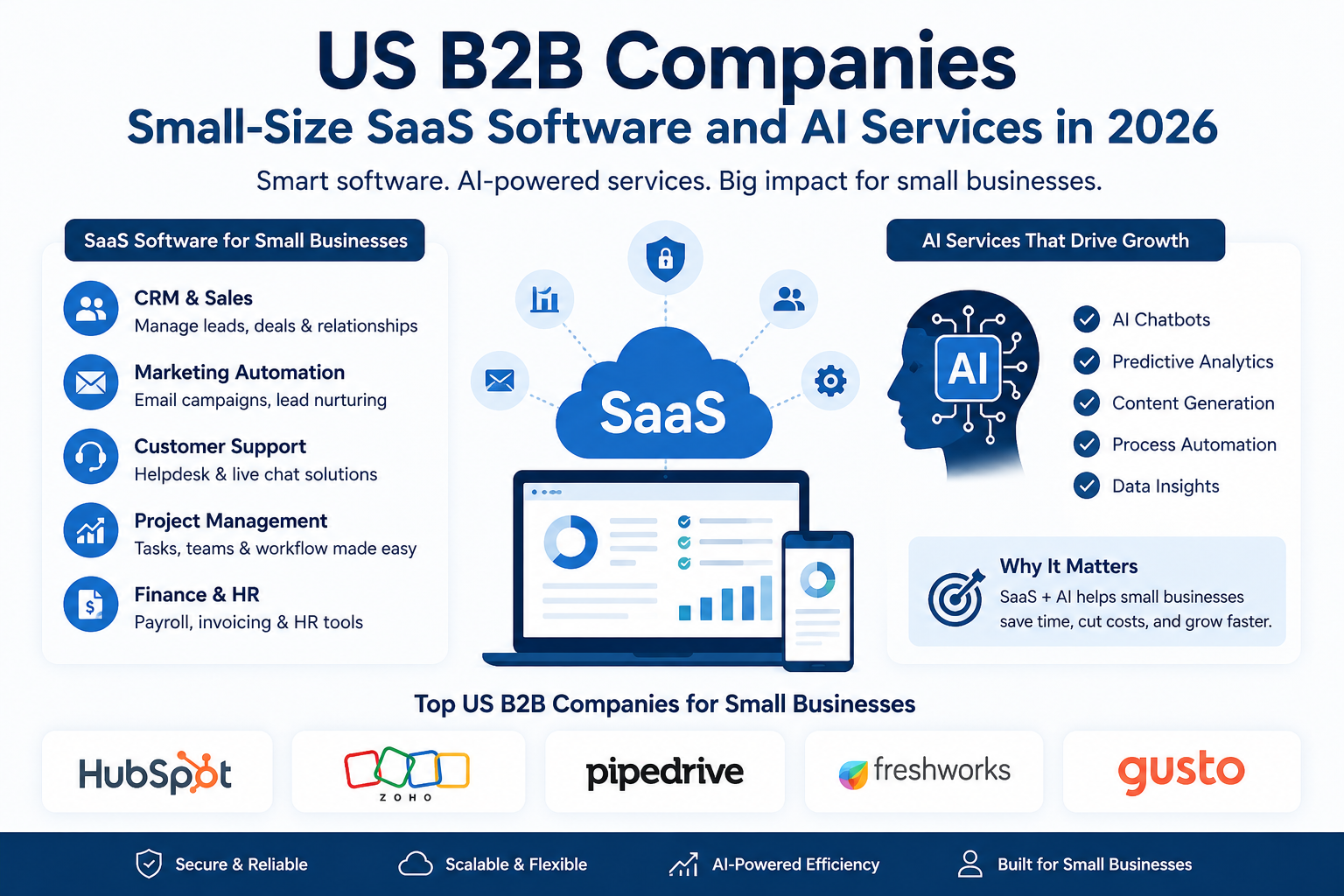
The United States has a broad ecosystem of SaaS providers serving startups, agencies, online stores, consultants, and growing small businesses. Their services cover customer relationship management, accounting, email marketing, project management, cybersecurity, customer support, and artificial intelligence. Some providers specialize in one business function, while others combine several tools into a larger platform. For example, a small marketing agency might use one service to manage leads, another to coordinate projects, and an AI tool to draft campaign ideas. The best choice depends on the company’s size, budget, industry, and operational needs. Rather than purchasing every available tool, small businesses should identify their biggest challenges and choose software that solves those problems efficiently.
Why Small Businesses Need SaaS and AI Services
Small businesses often operate with limited budgets and small teams, which makes efficiency especially important. Employees may handle sales, customer support, marketing, administration, and reporting at the same time. SaaS applications can bring these activities into organized systems, reducing the need for manual spreadsheets and disconnected workflows. Many tools also offer subscription-based pricing, making it easier to start with essential features and expand as the business grows.
AI services add another layer of support by helping users summarize information, draft emails, classify customer requests, analyze data, and automate selected tasks. A small software company, for instance, could use AI to prepare a first draft of a product announcement while its team focuses on reviewing the message and communicating with customers. AI does not eliminate the need for human judgment, but it can reduce repetitive work when implemented carefully. Small businesses should consider data privacy, output accuracy, and integration requirements before connecting AI to sensitive business systems.
Top US B2B Companies for Small Businesses
Several software companies offer tools that can help small organizations manage sales, marketing, customer relationships, and business operations. The following providers are useful starting points when researching SaaS and AI services for small businesses.
1. HubSpot
HubSpot is a popular choice for businesses that want to manage customer relationships, sales activities, and marketing campaigns in one place. Its platform includes CRM tools, email marketing, customer support, and AI-powered features designed to help teams organize information and automate selected tasks.
Small B2B companies can use HubSpot to track leads, record customer interactions, manage sales pipelines, and measure campaign performance. Its official website lists free foundational tools and paid plans for businesses that need more advanced features.
2. Zoho
Zoho offers a broad collection of applications for CRM, accounting, email, project management, and other business activities. Its ecosystem can be useful for small companies that want several connected tools without building a complicated technology stack from scratch.
Zoho CRM includes its AI assistant, Zia, which supports selected predictions, recommendations, and automation features. Availability depends on the application and subscription plan. Businesses should compare the features they need with the time required to configure the system properly. Explore Zoho.
3. Pipedrive
Pipedrive focuses on sales pipeline management. It helps teams organize prospects, track deals, schedule follow-ups, and understand which opportunities need attention.
For a small B2B software company, this can be valuable when several potential customers are at different stages of the sales process. Pipedrive also offers AI-supported features on its current plans. Its official pricing page lists a Lite plan at $14 per seat per month when billed annually, although prices can change.
4. Freshworks
Freshworks provides customer support, sales, and IT service software. Its Freshsales product helps businesses organize contacts and sales opportunities, while its Freddy AI capabilities support selected customer-service and sales workflows.
A small company can use these tools to centralize customer communication, prioritize leads, and organize support requests. Before subscribing, check which AI capabilities are included in the chosen plan and whether usage limits apply. Learn more at Freshworks.
5. Gusto
Gusto offers payroll, benefits administration, and human resources software for businesses. These services are especially relevant to small US companies that need to manage employee payments, onboarding, and administrative records.
Although Gusto is not primarily an AI company, it illustrates an important point: the best SaaS stack should cover essential business operations, not just the newest technology trends. Companies should also check whether payroll and tax services support their location and business requirements. Visit Gusto.
Best SaaS Categories for Small Companies
Choosing a SaaS product becomes easier when you start with a business function instead of a brand name. Small companies generally benefit most from tools that solve a clear operational problem and integrate with the systems they already use.
| SaaS category | Main purpose | Example provider |
|---|---|---|
| CRM software | Manage leads and customer relationships | HubSpot |
| Sales management | Track deals and follow-ups | Pipedrive |
| Business applications | Connect CRM, finance, and operations | Zoho |
| Customer support | Organize customer inquiries | Freshworks |
| Payroll and HR | Manage payroll and employee records | Gusto |
| AI writing | Draft and summarize business content | ChatGPT |
| Workflow automation | Connect apps and automate routine tasks | Zapier |
These providers have different strengths, so the table is a starting point rather than a universal ranking. A business should compare integrations, security, support, and total cost before making a decision.
How AI Is Transforming B2B Software
AI is becoming an important feature across business software. Rather than operating as a completely separate application, AI is increasingly integrated into CRM systems, customer support platforms, marketing tools, and productivity applications. It can help summarize meetings, draft follow-up emails, categorize customer requests, and identify patterns in business data.
For example, a small software company could use AI to prepare a first draft of a sales email after a meeting. A support team might use an AI assistant to summarize a long conversation before handing the case to an employee. These applications can save time, but they require review to prevent inaccurate messages or inappropriate recommendations.
Businesses should also examine how AI services handle customer information. Avoid sending confidential records to tools that have not been approved for that purpose. Review permissions, retention policies, and any additional charges for AI usage before introducing automation into important workflows.
Benefits of SaaS for Small Businesses
One of the biggest advantages of SaaS is flexibility. Businesses can often begin with a small subscription and add users or features as requirements grow. Cloud-based tools can also support distributed teams, allowing employees to access permitted information from different locations.
SaaS products may reduce the need for maintaining local servers and developing custom software. Regular updates, integrations, and built-in reporting can simplify day-to-day work. When AI features are included, companies may also reduce time spent on repetitive writing, sorting, and administrative tasks.
However, subscription costs can accumulate quickly. Businesses should measure whether a tool actually saves time, improves customer service, or supports revenue generation. A small set of well-integrated applications is often more useful than a large collection of overlapping subscriptions.
How to Choose the Right SaaS Provider
Start by identifying the problem you want to solve. If leads are being lost, consider a CRM. If customer requests are taking too long to resolve, investigate support software. If your team spends hours preparing repetitive reports, look for automation or AI features that address that specific task.
Next, compare the full cost, including seats, usage credits, integrations, onboarding, and potential upgrades. Test the product with a small team before moving important workflows into it. Check data export options, access controls, customer support, and the provider’s privacy and security documentation.
Finally, define a measurable outcome. You might want to reduce response times, improve lead follow-up, or spend fewer hours on manual administration. After a trial period, review the results and decide whether the subscription delivers sufficient value.
Common Challenges and Mistakes
A common mistake is selecting software because it advertises AI rather than because it meets a real business need. Another is purchasing an advanced plan before employees understand the basic workflow. Both can increase costs without delivering meaningful improvements.
Businesses may also underestimate integration difficulties and staff training. Before adopting a new platform, identify the data that needs to move, who will manage the system, and how employees will learn to use it. Avoid duplicating customer records across multiple tools, and establish clear rules for handling confidential information.
Future Trends in B2B SaaS and AI
B2B software is moving toward more connected workflows, stronger automation, and AI assistants that can complete selected tasks under human supervision. Small companies may benefit from tools that connect sales, support, marketing, and reporting rather than requiring employees to move information manually between applications.
Another important trend is the growing need for transparency around AI usage, data handling, and subscription costs. As these services become more capable, businesses will need to assess not only what a tool can do but also how reliably and securely it performs. Companies that introduce new technology gradually and measure its results will be better positioned to identify practical benefits.
Conclusion
US B2B companies offering SaaS software and AI services provide small businesses with practical ways to improve sales, customer support, marketing, payroll, and everyday operations. Providers such as HubSpot, Zoho, Pipedrive, Freshworks, and Gusto serve different needs, while AI tools can add capabilities for writing, analysis, and automation.
The right solution is not necessarily the most expensive or the one with the most AI features. Start with a clear business problem, compare available products, check privacy and integration requirements, and measure results before expanding. A carefully selected software stack can help a small business operate more efficiently while keeping costs under control.
Frequently Asked Questions
1. What are US B2B SaaS companies?
They are businesses that provide subscription-based software and digital services to other businesses. Their products can support sales, marketing, customer service, accounting, HR, and workflow automation.
2. Which SaaS company is best for a small B2B business?
The best option depends on the business need. HubSpot is worth considering for customer management, Pipedrive for sales pipelines, Zoho for a broad business software ecosystem, Freshworks for customer support and sales, and Gusto for payroll and HR.
3. Can small businesses afford AI services?
Yes. Many AI services offer free entry-level access or paid plans with limited usage. Compare usage limits, subscription costs, and potential add-on charges before committing.
4. How can AI help a small B2B company?
AI can assist with drafting emails, summarizing meetings, organizing customer requests, analyzing information, and automating selected repetitive tasks. Human review remains important for accuracy and responsible use.
5. How many SaaS tools should a small business use?
There is no fixed number. Start with the smallest set of tools that covers essential operations, prioritize products that integrate well, and add new subscriptions only when they solve a clear problem.
editer. cloudmagz
[…] effort. Depending on the product, these tasks can include generating text, summarizing documents, analyzing data, producing images, answering questions, and assisting with programming. Students may use AI tools […]