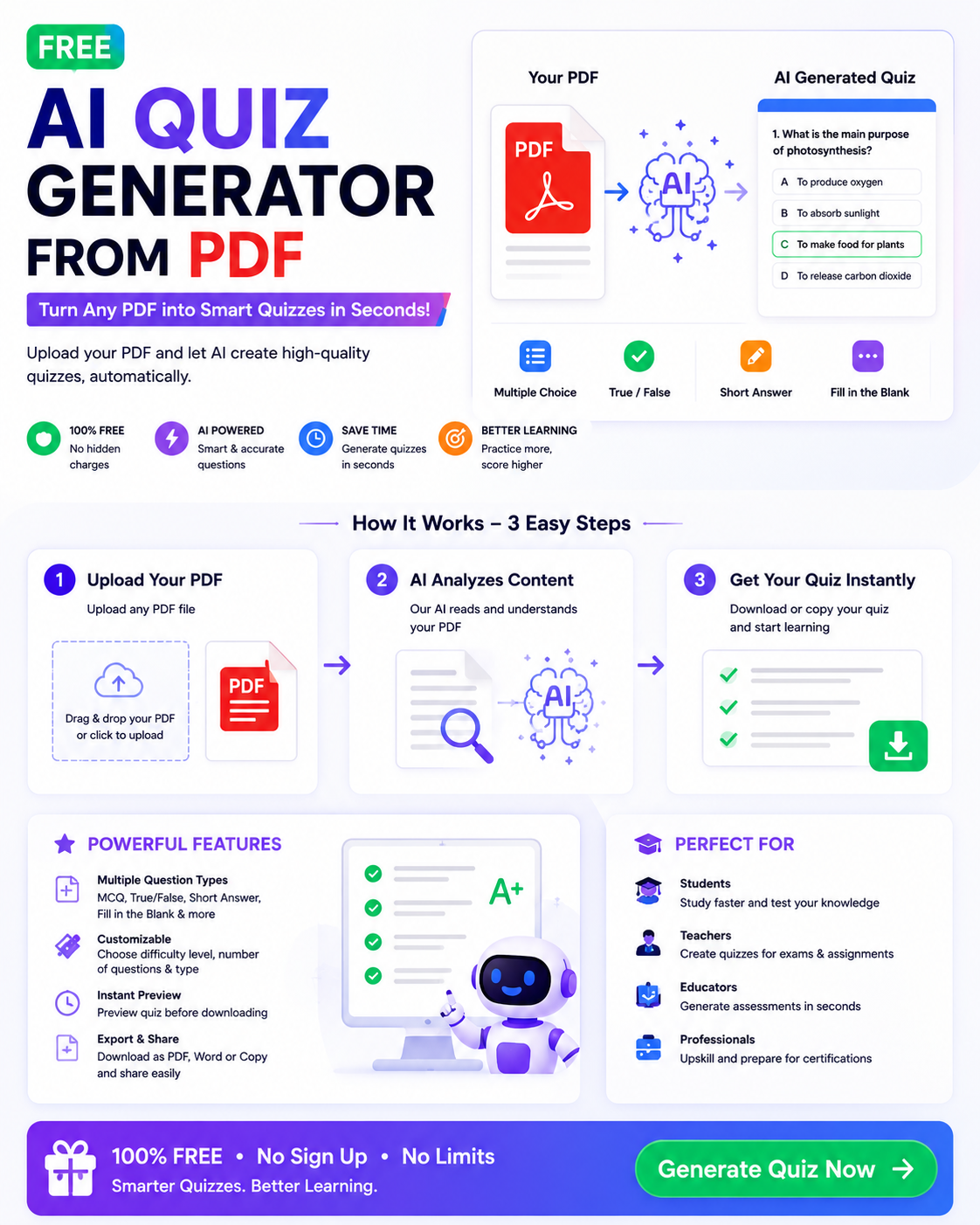
Preparing for exams can take a lot of time, especially when you need to study lengthy textbooks, lecture notes, and PDF documents. Reading the same material repeatedly does not always help you remember important information. A free AI quiz generator from PDF can make studying easier by turning your documents into interactive questions and practice tests.
These AI-powered tools analyze the text in your PDF and generate questions based on its main ideas, definitions, facts, and explanations. Depending on the platform, you may be able to create multiple-choice questions, true-or-false questions, short-answer questions, and other quiz formats.
Whether you are a school student, university learner, teacher, or professional preparing for a test, these tools can help you study more efficiently. In this guide, we will explore seven useful AI quiz generators, explain how they work, and share practical tips for getting better results.
What Is a Free AI Quiz Generator from PDF?
A free AI quiz generator from PDF is an online tool that uses artificial intelligence to convert PDF documents into quizzes and practice questions.
Instead of writing every question manually, you upload a supported PDF file and let the tool analyze its contents. The AI identifies important information and uses it to create questions and, in many cases, suggested answers.
For example, if you upload a biology chapter about the human digestive system, the generator might create questions about the stomach, small intestine, digestive enzymes, and nutrient absorption.
Some tools also allow you to select the difficulty level, choose a question format, and generate explanations for correct answers. Free plans may have restrictions on document size, the number of quizzes, or the number of questions you can create.
Why Use an AI Quiz Generator for PDF Documents?
1. Save Time During Exam Preparation
Creating practice questions manually can be tiring when you have several chapters to study. AI quiz generators can produce an initial set of questions in a short time, giving you more opportunities to practice.
2. Understand Important Concepts
A well-generated quiz can help you identify the central ideas in a document. Answering questions also encourages you to think about the material instead of simply reading it.
3. Practice Active Recall
Active recall means trying to remember information without immediately looking at the answer. Taking a quiz helps you discover which concepts you understand and which need more revision.
4. Create Different Question Types
Depending on the tool, you may be able to generate multiple-choice questions, true-or-false statements, short answers, and other formats. Different question types can help you test both basic knowledge and deeper understanding.
5. Study at Your Own Pace
Students can generate quizzes from individual chapters and repeat them whenever necessary. This makes it easier to organize revision around specific topics rather than studying an entire textbook at once.
7 Best Free AI Quiz Generator from PDF Tools
The following platforms are worth exploring for creating quizzes from study materials. Their PDF support, free-plan limits, and available features can change, so check the current options before uploading documents.
1. Knowt
Knowt offers AI-assisted study features designed to help students create and review learning materials. Depending on its current features and plan, students can use supported study content to generate practice questions and other revision resources.
It can be useful for learners who want to combine quiz practice with flashcards and study notes.
Best for: Students who want several study tools in one place.
Website: https://knowt.com/
2. StudyFetch
StudyFetch provides AI-powered learning features that help students work with course materials. Depending on current availability, its tools can help transform supported documents and study resources into quizzes, flashcards, and other learning activities.
It may be useful for students who want to organize their revision around uploaded course materials.
Best for: Students who want an AI-assisted study workspace.
Website: https://www.studyfetch.com/
3. Quizgecko
Quizgecko is an AI-powered quiz creation platform designed to turn learning content into questions. Depending on its current import options and subscription plan, users can explore workflows for generating quizzes from documents and other text sources.
It may be suitable for educators, students, and training professionals who want to create practice assessments.
Best for: Users who want to generate structured questions from study content.
Website: https://quizgecko.com/
4. QuestionWell
QuestionWell helps educators create questions and learning resources with AI. Its features and supported input methods may be useful for developing assessments from educational content.
Teachers can explore whether its current workflow supports their preferred document format and question types.
Best for: Teachers preparing classroom quizzes and learning activities.
Website: https://questionwell.org/
5. Revisely
Revisely offers AI-assisted study tools, including resources for creating revision materials. Depending on its current features, students may be able to use supported documents or text to generate practice questions and other study aids.
Before choosing it, check which quiz formats and document uploads are available without payment.
Best for: Students who want to create revision resources from their study materials.
Website: https://www.revisely.com/
6. ClassPoint AI
ClassPoint AI helps educators generate questions from presentation content. Although its main workflow focuses on presentations rather than direct PDF-to-quiz conversion, it can be useful when your PDF material is converted into compatible presentation slides.
Teachers can use AI-generated questions to support classroom participation and knowledge checks.
Best for: Teachers who want to add interactive questions to lessons.
Website: https://www.classpoint.io/
7. ChatGPT
ChatGPT can help create quizzes from PDF content when document uploads are available in the user’s current interface and plan. You can provide a supported PDF and ask for questions based only on the material it contains.
For example, you could request 20 multiple-choice questions with four options each, an answer key, and a short explanation for every correct answer.
Always check the generated questions against the original document, particularly when preparing for an important examination.
Best for: Users who want flexible quiz formats and customized questions.
Website: https://chatgpt.com/
How to Generate a Quiz from a PDF Using AI
Creating a quiz from a PDF usually involves a few simple steps.
Step 1: Choose Your PDF Document
Select a textbook chapter, lecture notes, revision guide, or other document that you are allowed to use. A document with clear, readable text usually produces better results than a low-quality scan.
If your PDF contains sensitive information, review the platform’s privacy policy before uploading it.
Step 2: Open an AI Quiz Generator
Choose a platform that supports your preferred workflow. Look for a feature such as PDF upload, quiz generation, document-based questions, or AI study tools.
Check whether the feature is included in the free plan.
Step 3: Upload Your PDF
Upload the document using the platform’s supported file-upload option. If direct PDF uploads are unavailable, you may be able to copy text from the document into a supported text input.
For scanned PDFs, optical character recognition (OCR) may be necessary to convert the page images into readable text.
Step 4: Select the Question Format
Choose the type of quiz you want to create. You might select multiple-choice questions for quick practice, short-answer questions for recall, or true-or-false questions for checking basic understanding.
If customization is available, specify the number of questions and the desired difficulty level.
Step 5: Generate the Quiz
Ask the AI to focus on the important information in the document. A clear instruction can improve the usefulness of the results.
For example:
“Create 20 exam-style questions from this PDF. Include 15 multiple-choice questions and five short-answer questions. Provide an answer key and brief explanations. Use only information supported by the document.”
Step 6: Review the Questions and Answers
AI-generated questions may contain incorrect answers, unclear wording, or information that is not included in the original document. Compare the results with your PDF and correct any mistakes.
Pay particular attention to scientific facts, formulas, dates, names, and technical terminology.
Step 7: Take the Quiz and Review Your Mistakes
Answer the questions without looking at the answer key first. Review any incorrect responses and return to the relevant section of your PDF.
Repeat the quiz later to check whether you can remember the information more confidently.
Tips for Getting Better Results from AI Quiz Generators
Use Clear and Organized PDFs
Documents with readable text, clear headings, and well-organized sections are easier for AI tools to process. If the file contains handwritten notes or blurry scans, review the extracted text before generating questions.
Specify Your Difficulty Level
Tell the AI whether you need beginner, intermediate, or advanced questions. For exam preparation, you can also request a mixture of simple recall questions and questions that require applying concepts.
Ask for Explanations
An answer key tells you which answer is correct, but an explanation helps you understand why. Request short explanations so that you can learn from your mistakes.
Generate Questions by Chapter
Instead of uploading an entire textbook at once, start with a single chapter or topic. This can make the questions more focused and easier to review.
Avoid Memorizing Incorrect Answers
Never assume the AI is always accurate. Verify important answers against your textbook, teacher’s notes, or another reliable source.
Respect Copyright and Privacy
Only upload documents you are permitted to use. Avoid submitting confidential student records, private research, or restricted course materials without appropriate authorization.
Are Free AI Quiz Generators from PDF Worth It?
Free AI quiz generators can be valuable for students who need extra practice without paying for a separate study tool. However, free access does not always mean unlimited use.
Some platforms restrict the number of questions, daily generations, PDF uploads, document length, or advanced features. Others may require an account before you can use their tools.
Before selecting a platform, check its supported file formats, quiz options, export features, privacy terms, and free usage limits. If you only need occasional practice quizzes, a free plan may be enough.
For regular exam preparation, choose a tool that makes it easy to correct questions, revisit mistakes, and create new quizzes from different chapters.
Frequently Asked Questions
1. What is the best free AI quiz generator from PDF?
Knowt, StudyFetch, Quizgecko, and ChatGPT are useful options to investigate. The best choice depends on the document formats supported, available quiz types, and the limits of the free plan.
2. Can AI create multiple-choice questions from a PDF?
Yes. Many AI quiz-generation workflows can create multiple-choice questions from readable document content. Review the answer options to make sure only the intended answer is correct.
3. Can I generate a quiz from a scanned PDF?
Sometimes. Scanned PDFs may require OCR to convert page images into readable text. Results depend on the scan quality and the tool’s document-processing capabilities.
4. Are free AI quiz generators accurate?
They can create useful practice questions, but errors are possible. Always compare generated questions and answers with the original PDF before relying on them for exam preparation.
5. Can teachers use AI quiz generators?
Yes. Teachers can use them to prepare practice tests, classroom activities, and revision exercises. They should review every question to ensure it matches the curriculum and learning objectives.
6. Can I create a quiz from a PDF without installing software?
Yes. Several AI quiz tools work through a web browser. However, document-upload requirements, account registration, and free-plan restrictions vary by platform.
Conclusion
A free AI quiz generator from PDF can make studying more interactive by transforming lengthy documents into practice questions and quizzes. Tools such as Knowt, StudyFetch, Quizgecko, Revisely, and ChatGPT offer different ways to create learning materials, while platforms such as QuestionWell and ClassPoint AI can support educational quiz creation through their respective workflows.
To get the best results, choose a tool that supports your document format, provide clear instructions, and check every answer against the original source. Combine AI-generated quizzes with regular revision, active recall, and practice questions to build a more effective study routine.
For more helpful guides on AI tools, student productivity, and digital learning, visit CloudMagz.com.
[…] AI writing tool can simplify these tasks and help bloggers build a more organized workflow. For example, a blogger can use one tool to brainstorm ideas, another to proofread a draft, and a […]