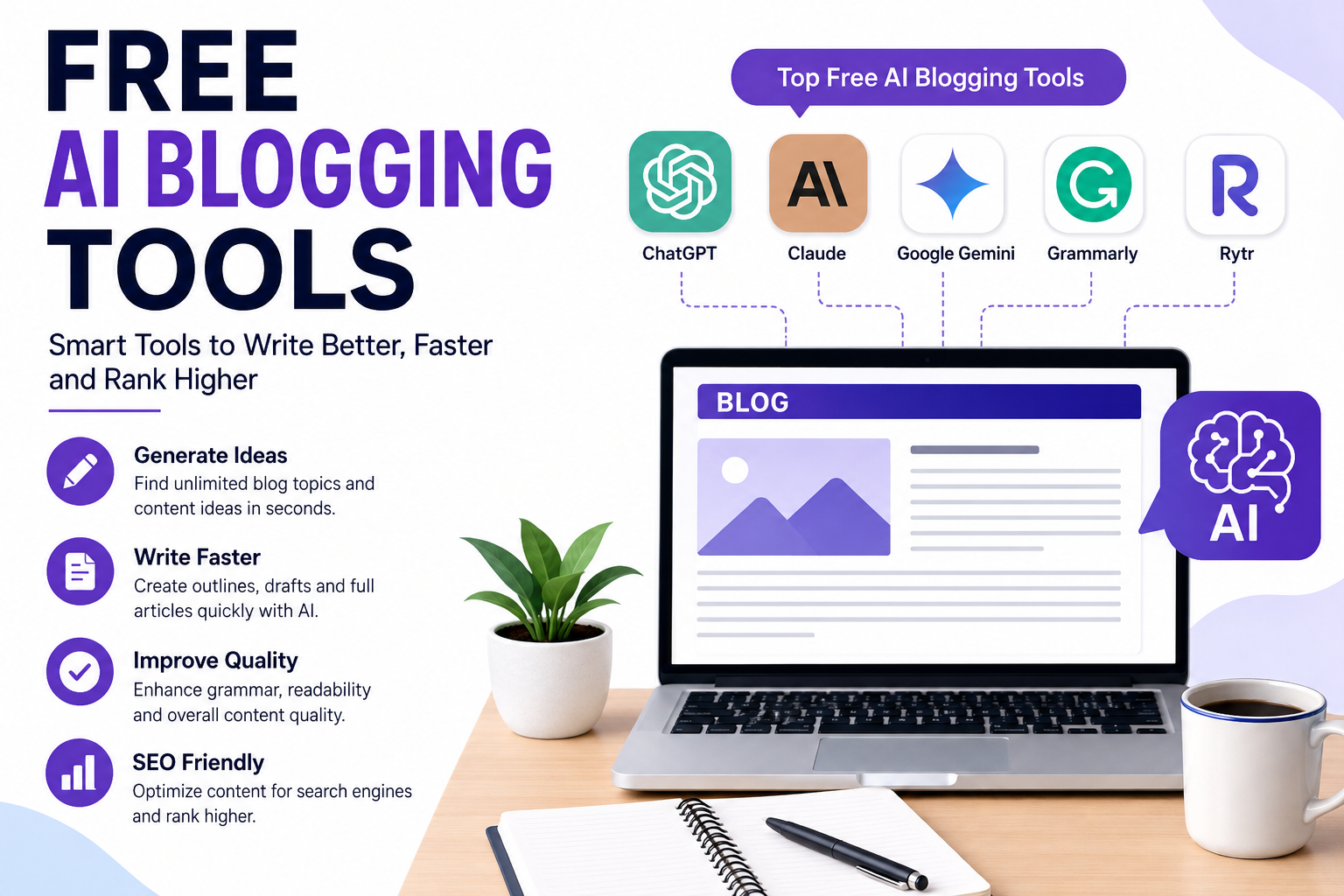
free ai blogging tools Blogging has changed significantly in recent years. Writers no longer need to spend hours staring at a blank page before starting an article. With the help of free AI blogging tools, bloggers can generate ideas, create outlines, improve writing, research topics, optimize content, and produce high-quality drafts much faster.
AI tools do not have to replace human writers. Instead, they can act as writing assistants that handle repetitive tasks while the blogger focuses on creativity, experience, accuracy, and originality. In 2026, several AI writing platforms offer useful free plans, although most have usage limits or reserve advanced features for paid users.
What Are Free AI Blogging Tools?
Free AI blogging tools are online applications that use artificial intelligence to help with different parts of the blogging process. Depending on the tool, they can help you brainstorm topics, create headlines, write introductions, develop outlines, draft articles, rewrite paragraphs, correct grammar, summarize information, and improve readability.
Some tools are general-purpose AI assistants, while others are specifically designed for content marketing and blogging.
For example, a general AI assistant can help you create a complete article from a detailed prompt, while a grammar tool can review the finished article and identify spelling, grammar, and clarity problems.
The biggest advantage is that many of these tools can be used without paying a monthly subscription, although free plans usually come with restrictions.
Why Should Bloggers Use AI Tools?
Writing a quality blog post involves much more than simply putting words on a page. Bloggers need to research topics, understand search intent, create an interesting structure, write useful content, edit the article, and optimize it for readers and search engines.
AI can speed up many of these steps.
1. Generate Blog Ideas
Coming up with new topics can become difficult when you publish regularly. AI tools can generate dozens of ideas based on a niche, audience, or keyword.
For example, if your website covers technology, you could ask an AI tool for:
- 20 beginner-friendly technology topics
- Trending AI topics
- How-to article ideas
- Comparison article ideas
- Frequently asked questions about AI
- Long-tail keyword-based topics
This can help you create a content calendar without spending hours brainstorming.
2. Create Article Outlines
A strong outline gives an article a logical structure before writing begins. AI can suggest headings, subheadings, questions, and important points that should be covered.
Instead of asking an AI tool to immediately write a 2,000-word article, you can first request a detailed outline. You can then review the outline and make changes before generating the draft.
This approach usually gives you greater control over the final article.
3. Write First Drafts Faster
One of the most useful applications of AI blogging tools is creating a first draft.
You can provide the topic, target keyword, desired word count, audience, tone, and important points. The AI can then create a starting draft.
However, the first draft should not automatically be considered the final version. AI-generated content can sometimes contain repetitive wording, inaccurate claims, generic examples, or information that needs verification.
Human editing remains important.
Best Free AI Blogging Tools
There are many options available, but bloggers should choose tools according to their specific needs.
ChatGPT
ChatGPT is a flexible AI assistant that can help with almost every stage of blogging. Bloggers can use it for brainstorming, outlines, article drafts, headlines, FAQs, meta descriptions, content editing, and rewriting.
It is particularly useful because you can continue the conversation and ask for changes. For example, you can request a more professional tone, shorter paragraphs, simpler English, or a more engaging introduction.
The free version has usage limits that can change over time, so bloggers should check the current availability when planning high-volume content.
Claude
Claude is another popular AI assistant that is particularly useful for long-form writing and natural-sounding prose. Bloggers can use it to create drafts, improve existing articles, summarize research, and restructure large pieces of text.
Its free access is subject to usage limits, but it can be a useful option for bloggers who want a second AI writing assistant.
Google Gemini
Google Gemini can help bloggers with brainstorming, research, writing, rewriting, and content planning. Its connection with Google’s ecosystem can also make it convenient for people who already use Google products.
It can be particularly useful when you want to combine research and writing in the same workflow.
Grammarly
Grammarly is better suited to editing than creating complete long-form articles from scratch. It can help identify grammar, spelling, punctuation, clarity, and tone issues.
A useful workflow is to create your first draft with an AI writing assistant and then use an editing tool to improve the final version.
Rytr
Rytr is a dedicated AI writing platform that provides templates and writing assistance for different content types. It can be useful for bloggers who prefer a dedicated writing interface rather than a general chatbot.
Free access is available, although the amount of content you can generate is limited.
How to Use Free AI Blogging Tools for SEO
AI can make content production faster, but bloggers should not treat AI as an automatic SEO solution.
A better process is to start with keyword research and search intent.
First, identify the main keyword you want to target. Then determine what information users expect to find when searching for that keyword.
For example, someone searching for “free AI blogging tools” may want to know:
- Which tools are actually free?
- Which tool is best for beginners?
- Can AI write complete blog posts?
- Which tools help with SEO?
- What are the limitations of free plans?
- How can AI be used without producing low-quality content?
Once you understand the search intent, create an outline that answers these questions naturally.
Avoid repeating the primary keyword in every paragraph. Keyword stuffing can make content difficult to read. Instead, use related terms naturally, such as AI writing tools, AI content creation, blogging software, content generation, blog writing assistants, and AI-powered writing tools.
A Simple Free AI Blogging Workflow
You can create an effective blogging workflow without paying for several expensive subscriptions.
Step 1: Choose a Topic
Start with a topic that is relevant to your website and useful to your audience.
Step 2: Research the Keyword
Understand the primary keyword and related questions people may have.
Step 3: Create an Outline
Ask an AI tool to create a logical structure containing an introduction, major sections, supporting points, and FAQs.
Step 4: Create the Draft
Use AI to produce a first draft based on your outline. Give specific instructions about tone, audience, length, and information.
Step 5: Add Human Experience
This is one of the most important steps. Add your own examples, opinions, observations, original research, and practical advice.
Step 6: Fact-Check
Never assume every AI-generated statement is correct. Verify statistics, product specifications, dates, names, medical claims, financial information, and other important facts before publishing.
Step 7: Edit the Article
Improve the introduction, remove repetitive sections, shorten unnecessary sentences, and make the content sound natural.
Step 8: Optimize for Search
Add an appropriate title, headings, meta description, internal links, descriptive image text, and naturally placed keywords.
Step 9: Publish and Monitor
After publishing, monitor your search performance and improve the article when you identify gaps or outdated information.
Are Free AI Blogging Tools Good for Beginners?
Yes. Free AI blogging tools can be especially useful for beginners because they reduce the difficulty of getting started.
A new blogger may know their subject but struggle with organization or writing. AI can provide a basic structure and help turn ideas into readable paragraphs.
However, beginners should avoid publishing completely unedited AI-generated articles. Recent guides on free AI writing tools similarly emphasize that AI drafts still require human editing and fact-checking.
The goal should be to use AI as an assistant rather than allowing it to replace your own judgment.
Advantages of Free AI Blogging Tools
The main benefits include:
- Faster content creation
- Easier brainstorming
- Better article organization
- Help with headlines and introductions
- Grammar and readability improvements
- Faster rewriting and editing
- Assistance with SEO content planning
- Reduced time spent on repetitive writing tasks
- Useful support for beginners
Limitations You Should Know
Free AI tools also have limitations. Their free plans may restrict the number of messages, words, or advanced features available. These limits can also change as companies update their products.
AI-generated content can also sound repetitive or generic if prompts are too simple. More importantly, AI can produce incorrect information, so fact-checking is essential.
Another limitation is originality. If hundreds of websites publish similar AI-generated articles, simply producing another generic article may not provide much value. Bloggers should add original information, personal experience, useful examples, and a clear point of view.
Frequently Asked Questions
Can I write a complete blog post with free AI tools?
Yes. Free AI assistants can help create complete drafts, although usage limits may apply. It is still recommended to edit and fact-check the article before publishing.
Are free AI blogging tools good for SEO?
They can help with SEO tasks such as outlines, keyword ideas, titles, FAQs, and content optimization. However, an AI tool cannot guarantee Google rankings. Quality, relevance, originality, website authority, technical SEO, and user satisfaction all matter.
Is AI-generated content ready to publish?
Usually, it should be edited first. Add original information, verify facts, improve the writing, and make sure the article genuinely satisfies the reader’s search intent.
Which free AI blogging tool should beginners start with?
A general AI assistant such as ChatGPT can be a good starting point because it can help with brainstorming, outlines, drafting, rewriting, and many other tasks. Bloggers can then combine it with a grammar or editing tool for additional quality control.
Final Thoughts
Free AI blogging tools have made content creation faster and more accessible. Bloggers can use them to overcome writer’s block, generate ideas, create outlines, prepare drafts, improve grammar, and organize their publishing workflow.
The best strategy is not to depend on one tool to do everything. Instead, build a simple workflow: research the topic, create an outline, use AI for the first draft, add your own expertise, fact-check the information, edit carefully, and then optimize the article for search and readers.
AI can save significant time, but the strongest blog content still needs human judgment. When free AI tools are used as assistants rather than replacements for genuine expertise, they can become a powerful part of a modern blogging strategy. // editer righter cloudmagz
[…] content is not always perfect. Check faces, hands, text, product details, backgrounds, movement, and other important […]