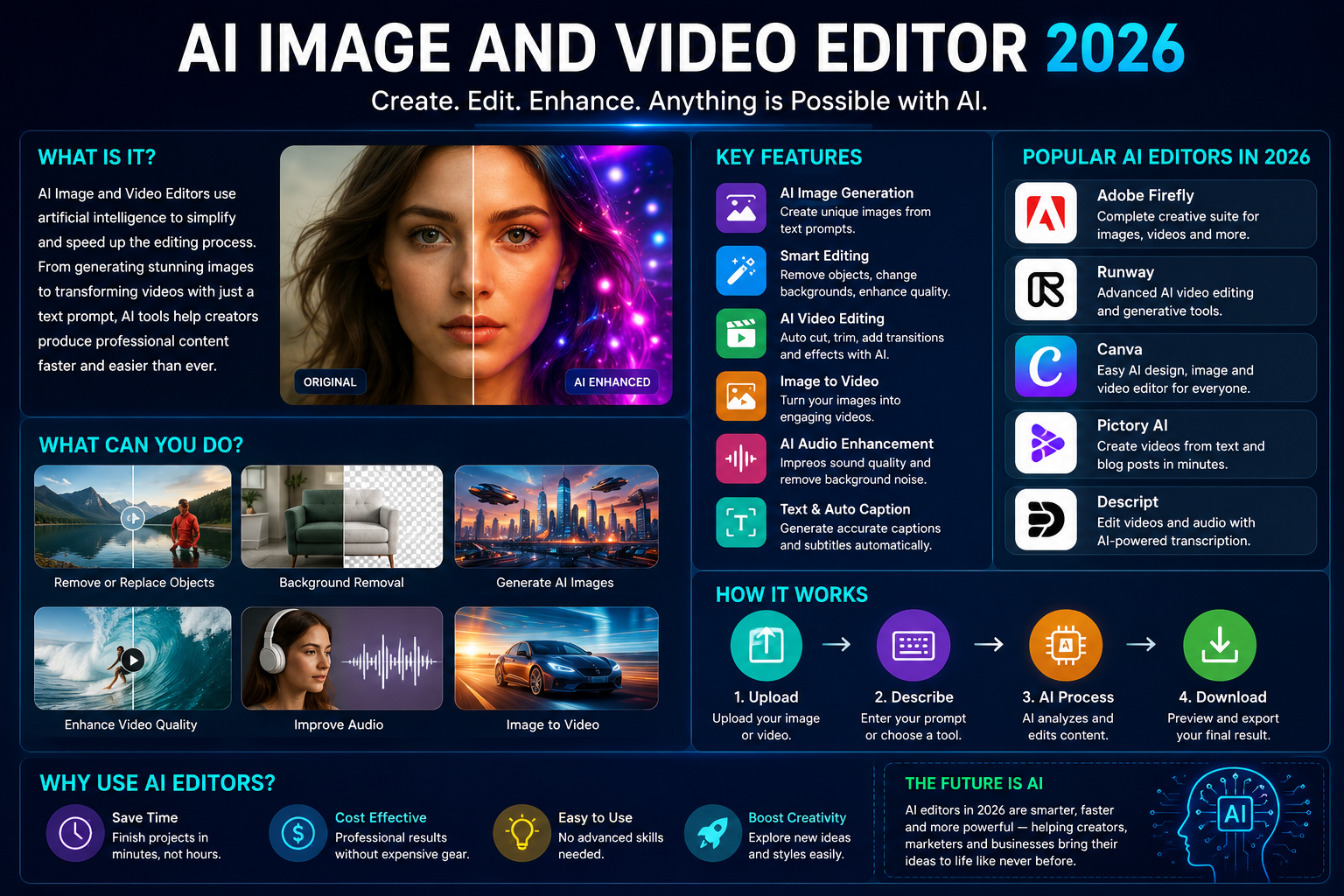
AI Image and Video Editor 2026 Creating professional images and videos used to require expensive software, powerful computers, and advanced editing skills. In 2026, artificial intelligence has changed the creative process. With an AI image and video editor, beginners, bloggers, marketers, social media creators, and businesses can generate, edit, enhance, and transform visual content with simple instructions.
Modern AI editors can understand text prompts and perform tasks that previously required many manual editing steps. Users can remove objects, change backgrounds, improve image quality, generate new scenes, animate photographs, edit video footage, enhance audio, and even create videos from text or images.
Adobe Firefly, for example, now combines AI image generation, video generation, image editing, video editing, and other creative workflows in one environment. Its 2026 tools include prompt-based image and video editing, text-to-video, image-to-video, and browser-based video editing.
What Is an AI Image and Video Editor?
An AI image and video editor is software that uses artificial intelligence to automate or simplify creative editing tasks.
Traditional editing requires you to manually select objects, adjust colors, remove backgrounds, cut clips, add transitions, and perform many other tasks. AI-powered software can automate some of these processes based on your instructions.
For example, instead of manually removing an unwanted object from a photograph, you can describe what you want removed. Similarly, you can upload a photograph and ask an AI tool to turn it into a short animated video.
This makes AI editing particularly useful for people who do not have professional graphic design or video editing experience.
What Can an AI Image Editor Do?
AI image editors offer a growing range of features. Depending on the software, you may be able to perform tasks such as:
- Remove unwanted objects
- Replace or blur backgrounds
- Generate new images from text
- Expand an image beyond its original borders
- Change colors and lighting
- Improve image quality
- Restore or enhance photographs
- Change an image’s style
- Create product images
- Generate social media graphics
- Add or replace visual elements
- Create multiple variations of an image
Text-based editing is one of the biggest developments. Instead of learning complicated menus, users can describe an edit in ordinary language. Adobe Firefly, for example, supports adding, removing, replacing, and transforming elements using text prompts.
What Can an AI Video Editor Do?
AI video editors can automate many tasks involved in producing videos.
Depending on the platform, you can use AI to:
- Generate videos from text
- Turn images into animated clips
- Remove or replace backgrounds
- Change the visual style of footage
- Generate B-roll
- Trim and rearrange clips
- Create initial edits automatically
- Improve dialogue and audio
- Adjust colors
- Add sound effects
- Generate voiceovers
- Change camera framing
- Create social media versions
- Translate audio and video
Adobe Firefly’s 2026 video editor, for example, provides a browser-based timeline where creators can combine generated clips and their own footage. It also includes AI-assisted audio enhancement and color adjustments.
Best AI Image and Video Editors in 2026
There are many AI creative platforms available in 2026. The best choice depends on what you want to create.
1. Adobe Firefly
Adobe Firefly is one of the most comprehensive options for creators who want both image and video AI features.
It can generate images from text prompts, edit existing images, generate videos, transform images into video clips, and edit video footage. Firefly also provides a browser-based video editor and supports multiple AI models within its creative environment.
For video creators, Firefly supports text-based editing and video-to-video transformations. You can describe changes to footage, modify backgrounds, adjust camera perspectives, and restyle scenes.
2. Runway
Runway is another important AI video editing platform in 2026. Its AI video editor allows creators to upload existing footage and describe the desired changes using natural language.
For example, users can change a backdrop, modify lighting, swap a product’s appearance, or restyle footage. Runway’s current AI video editing workflow is designed to apply changes across sequences rather than requiring every frame to be edited manually.
Runway is particularly interesting for creators working on cinematic videos, advertisements, social content, and experimental visual projects.
3. Canva
Canva is popular with bloggers, marketers, students, and social media creators because it combines design templates with simple editing tools.
Its AI-powered features can help users create visual content without extensive design experience. Canva also provides an image-to-video feature that can turn a still image into a short animated video using AI-generated motion.
This can be useful when you have a blog image, product photograph, or graphic that you want to make more engaging for social media.
AI Image-to-Video Editing
One of the most useful developments in 2026 is image-to-video generation.
Imagine you have a photograph of a car, product, building, person, or landscape. Instead of leaving the image static, an AI tool can create movement around the subject.
For example, a product photograph could be transformed into a short promotional clip with camera movement. A landscape image could receive animated clouds or subtle environmental movement.
Adobe Firefly supports image-to-video workflows for turning static illustrations, renders, and images into animated clips.
This is particularly valuable for social media because short videos generally provide more opportunities for visual engagement than static graphics.
AI Video-to-Video Editing
Another powerful feature is video-to-video transformation.
With traditional editing, changing the entire visual style of existing footage could require significant manual work. AI can simplify this process by using the original video as a reference and applying a new visual direction.
For example, creators can use AI to:
- Restyle footage
- Change lighting
- Modify backgrounds
- Adjust camera framing
- Create cinematic effects
- Transform the appearance of a scene
- Produce alternative versions of existing footage
Firefly’s video-to-video tools allow creators to use prompts to transform footage while retaining important aspects of the original motion and structure.
How to Use an AI Image and Video Editor
Using an AI editor is relatively simple.
Step 1: Choose Your Project
Decide whether you need an image, short social media video, advertisement, YouTube video, product presentation, or another type of content.
Step 2: Upload Your Media
Upload your photograph or video if you already have source material. If you are starting from nothing, use a text prompt to generate the initial visual.
Step 3: Write a Clear Prompt
A good prompt should describe the subject, environment, style, lighting, movement, and desired result.
For example:
“Create a cinematic product video showing a modern smartphone on a clean desk, with slow camera movement, soft lighting, and a premium technology advertisement style.”
Step 4: Review the Result
AI-generated content is not always perfect. Check faces, hands, text, product details, backgrounds, movement, and other important elements.
Step 5: Edit and Refine
Use additional prompts or traditional editing controls to correct mistakes and improve the final result.
Step 6: Export for Your Platform
Choose the appropriate format and aspect ratio for your destination. A vertical video is generally suitable for many mobile-first social platforms, while widescreen formats are commonly used for websites and long-form video.
Benefits of AI Image and Video Editors
The biggest advantage is speed.
A task that previously required several editing steps can often be completed with a simple prompt. This makes AI especially useful for small businesses and individual creators who cannot afford a professional production team.
Other benefits include:
Easy to use: Beginners can perform advanced-looking edits without extensive technical knowledge.
Faster production: AI can reduce the time needed to create variations and initial edits.
More creative possibilities: Creators can quickly experiment with different styles, backgrounds, camera movements, and concepts.
Lower production costs: Businesses can produce more visual content without outsourcing every small project.
Better content consistency: AI tools can help creators produce repeated content in a similar visual style.
Limitations of AI Editing
Despite rapid improvements, AI editors are not perfect.
AI can sometimes produce incorrect details, distorted objects, unnatural movement, or inaccurate text. Generated people can also have visual inconsistencies, particularly in complex scenes.
Copyright and licensing should also be considered. Before using AI-generated assets commercially, check the specific platform’s current terms and the licensing rules for any third-party models or assets.
Another important issue is human judgment. AI can perform an edit, but it does not automatically understand your brand, audience, or business goals.
For professional work, human review remains essential.
Is an AI Image and Video Editor Good for Bloggers?
Yes. Bloggers can use AI editing tools to create featured images, article illustrations, social media graphics, promotional videos, YouTube thumbnails, and short videos from existing blog content.
For example, a 1,500-word blog post can be converted into several visual assets: a featured image, infographic, short social video, and promotional graphics.
This allows bloggers to reuse their written content across multiple platforms.
Final Thoughts
The AI image and video editor 2026 landscape is more powerful than ever. AI is moving beyond simple image generation and basic filters toward complete creative workflows where users can generate, edit, transform, and organize images and videos using natural language.
Tools such as Adobe Firefly, Runway, and Canva provide different approaches to check AI-powered creation tools. Firefly is particularly comprehensive, combining image generation, video generation, prompt-based editing, video-to-video workflows, and browser-based video editing.
The best results come from combining AI automation with human creativity. Use AI to save time and explore ideas, but always review the final output, correct mistakes, and add your own creative direction.
In 2026, you no longer need to be a professional editor to create impressive visual content. With the right AI image and video editor, a simple idea can become a polished image or video in a fraction of the time. // editer cloudmagz.
[…] can upload course materials such as notes, worksheets, slides, PDFs, or images and ask the tool to help them study those […]