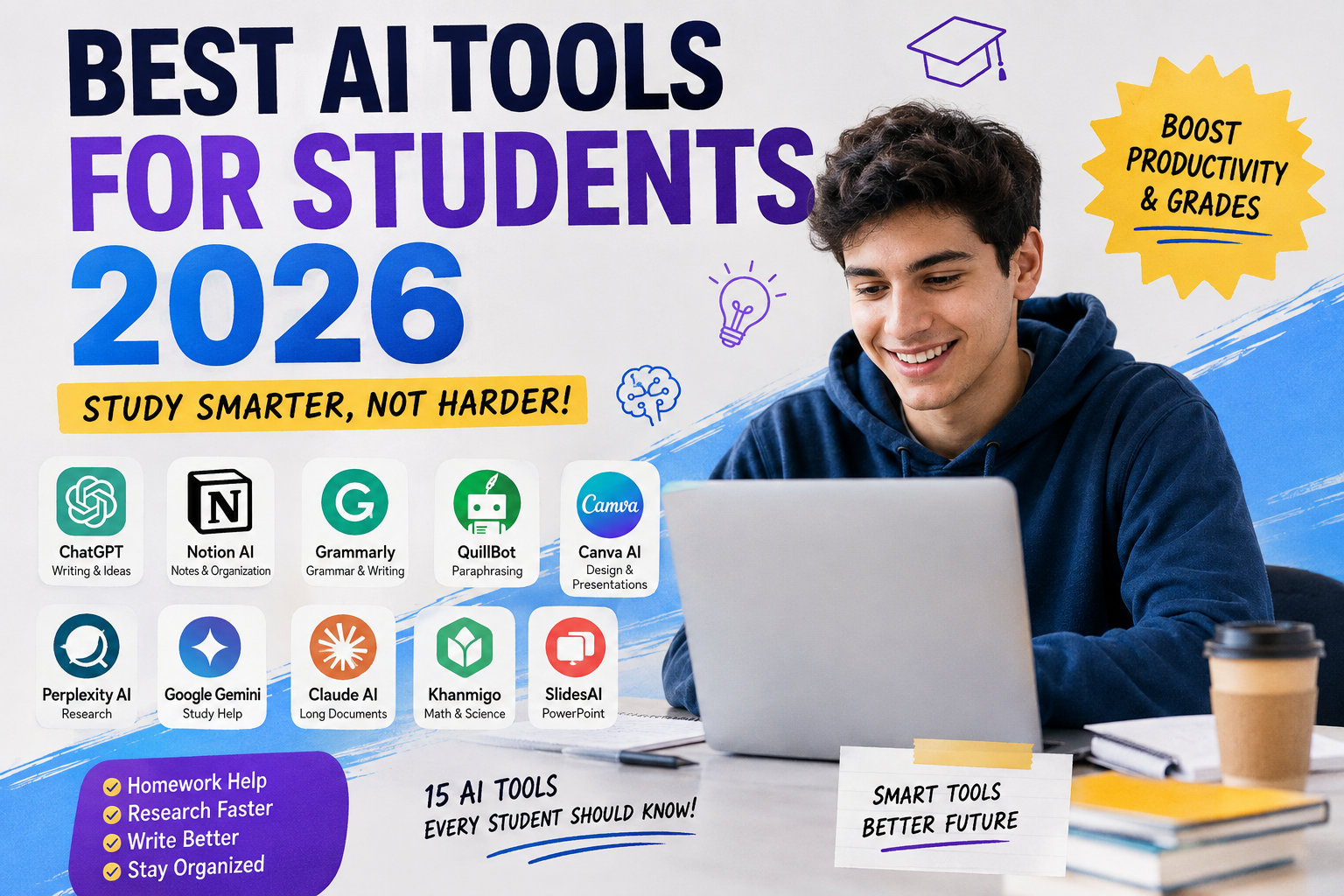
AI has quickly become one of the most useful technologies for students. In 2026, students can use AI to understand difficult topics, organize class notes, research faster, improve writing, create presentations, practice for exams, and even learn coding.
But there is one important difference between using AI to learn and simply asking AI to do your schoolwork. The best AI tools for students should make you more productive while helping you understand the subject yourself.
Whether you are in high school, college, or university, there are now dozens of AI tools worth trying. Some are completely free, while others offer premium features or special student plans.
In this guide, we will look at the best AI tools for students 2026, what each tool does, who it is best for, and how you can use it without depending on AI for everything.
Why Students Need AI Tools in 2026
Student life can be stressful. Between lectures, assignments, exams, research papers, presentations, group projects, and deadlines, it can be difficult to manage everything.
AI can help reduce some of that pressure.
For example, instead of spending an hour trying to understand a complicated concept, you can ask an AI tutor to explain it using simpler language. You can also turn long notes into a study guide, create practice questions, brainstorm ideas for an assignment, or check your grammar before submitting your work.
Another major advantage is personalization. A good AI tool can adjust an explanation to your level. If you do not understand something the first time, you can ask for another explanation, an example, or a step-by-step breakdown.
The key is to treat AI as a study assistant, not a replacement for your own thinking.
Top 15 Best AI Tools for Students 2026
1. ChatGPT – Best Overall AI Tool for Students
ChatGPT is one of the most versatile AI tools available to students. You can use it for brainstorming, explanations, homework help, writing feedback, coding, research planning, summarizing information, and much more.
The free version currently provides access to a wide range of features, including web search, file and image uploads, data analysis, GPTs, and image creation, although individual tools have usage limits.
Best for: Homework help, brainstorming, explanations, writing feedback, coding, and general studying.
Free/Paid: Free plan available; paid plans provide higher limits and additional capabilities.
Pro Tip: Instead of asking ChatGPT to complete your assignment, ask it to explain the topic and quiz you afterward.
Students in eligible U.S. colleges and graduate programs can also check OpenAI’s 2026 Back to School offer, which provides four free monthly billing periods of ChatGPT Plus for eligible students who claim the offer by October 31, 2026.
2. Google Gemini – Great for Study Help
Google Gemini is another strong choice for students who already use Google’s ecosystem.
You can use Gemini to brainstorm ideas, explain difficult subjects, summarize information, create study plans, and work with different types of content. It can be particularly useful if you already use Google services for school.
Google also provides education-focused Gemini experiences designed around learning and research.
Best for: Study help, brainstorming, research, explanations, and Google ecosystem users.
Free/Paid: Free access is available, with paid plans offering additional capabilities.
Pro Tip: Tell Gemini your grade level and subject before asking a question so the explanation matches your knowledge.
3. Gemini Notebook – Best for Class Materials
If you have a large collection of lecture notes, PDFs, readings, or course documents, Gemini Notebook can be extremely useful.
The tool is designed to work from the sources you provide. Students can upload materials and use them to create study guides, summaries, quizzes, flashcards, and explanations. It can also provide citations connected to the uploaded material.
This makes it different from simply asking a general chatbot a question.
Best for: Lecture notes, PDFs, textbooks, research papers, and exam preparation.
Free/Paid: A free version is available, with higher limits and additional features available through paid plans.
Pro Tip: Create a separate notebook for each major subject instead of putting all your school material into one place.
4. Perplexity AI – Best for Research
Perplexity is particularly useful when you need to research a topic and want answers supported by sources.
Instead of giving you only a conversational response, Perplexity is designed around search and research. This makes it useful when you are starting a research project and need to discover websites, papers, facts, and different perspectives.
Perplexity currently offers a free Standard plan and an Education Pro plan for verified students and educators. Education Pro includes additional research and learning features.
Best for: Research, finding sources, exploring topics, and fact-checking.
Free/Paid: Free Standard plan; paid Pro and Education Pro options.
Pro Tip: Never copy research results directly into an assignment. Open the sources and verify the important information yourself.
5. Grammarly – Best for Writing
Good ideas can lose their impact when your writing contains grammar, spelling, or clarity problems. Grammarly can help students improve their writing before submitting an assignment or sending an important email.
It can identify common grammar mistakes, improve sentence clarity, and provide suggestions for making writing easier to understand.
For students who regularly write essays, reports, applications, or presentations, a writing assistant can save considerable editing time.
Best for: Essays, reports, emails, grammar, spelling, and writing clarity.
Free/Paid: Free version available; premium features require a paid plan.
Pro Tip: Write your first draft yourself and use Grammarly during the editing stage rather than letting AI write the entire assignment.
6. QuillBot – Best for Paraphrasing and Editing
QuillBot is popular with students who want help improving or restructuring their writing.
Its paraphrasing features can provide alternative ways to express an idea, while its other writing tools can help with grammar and readability.
However, paraphrasing does not remove the need to cite your sources. If you take an idea or information from another person, you still need to give proper credit.
Best for: Paraphrasing, rewriting, grammar, and improving sentence structure.
Free/Paid: Free access with limitations; premium plans unlock additional features.
Pro Tip: Use QuillBot to improve your own writing rather than using it to disguise copied material.
7. Canva AI – Best for Presentations and Design
Not every student assignment is an essay. Sometimes you need a presentation, poster, infographic, social media graphic, or visual project.
Canva makes these tasks easier with templates and AI-powered design features.
You can use it to create presentation slides, educational graphics, posters, diagrams, and other visual materials without being a professional designer.
Best for: Presentations, posters, infographics, and visual assignments.
Free/Paid: Free plan available; premium features are offered through paid plans.
Pro Tip: Keep your presentation simple. Use AI to create a starting point, then edit the design so it actually matches your subject.
8. Claude – Best for Long Documents
Claude is another useful general-purpose AI assistant. One area where it can be particularly helpful for students is working with large amounts of text.
For example, you may have a long document, research material, project instructions, or several pages of notes. An AI assistant can help identify important points and organize information into a more manageable structure.
Best for: Long documents, brainstorming, writing feedback, and detailed explanations.
Free/Paid: Free access is available with paid options for higher usage.
Pro Tip: When working with a long document, ask for a section-by-section summary instead of requesting one huge summary.
9. Khanmigo – Best for Learning Math and Science
Khanmigo is designed around education and can be especially useful for students who want help understanding academic concepts.
Instead of simply giving an answer, an educational AI tutor can guide students through problems and encourage them to think about the solution.
This approach can be particularly useful for mathematics and science subjects, where understanding the process is often more important than memorizing the final answer.
Best for: Math, science, tutoring, and guided learning.
Free/Paid: Availability and pricing can vary depending on location and program.
Pro Tip: When solving a difficult problem, ask for a hint first instead of immediately asking for the final answer.
10. SlidesAI – Best for Creating Presentations
Creating a presentation from scratch can take a lot of time. SlidesAI is designed to help turn text or ideas into presentation slides.
It can be useful when you already have the information but need help organizing it into a presentation format.
Students can then edit the slides, add images, check facts, and personalize the presentation.
Best for: PowerPoint-style presentations and class projects.
Free/Paid: Free options are available with limitations; paid plans provide additional features.
Pro Tip: Use AI to build the first version of your presentation, then rewrite the slides in your own words.
11. Microsoft Copilot – Best for Microsoft Users
If your school uses Microsoft Word, PowerPoint, Excel, or other Microsoft products, Copilot can be a useful addition to your workflow.
It can assist with brainstorming, writing, summarizing, analyzing information, and creating content depending on the version and account you use.
For students already working inside Microsoft’s ecosystem, having AI tools integrated into familiar applications can save time.
Best for: Word documents, presentations, spreadsheets, brainstorming, and Microsoft users.
Free/Paid: Availability varies by product and account.
Pro Tip: Use Copilot to organize your rough ideas before turning them into a polished assignment.
12. GitHub Copilot – Best for Coding Students
Computer science and programming students have a different set of challenges. Debugging code, understanding unfamiliar syntax, and writing repetitive functions can consume hours.
GitHub Copilot can act as an AI coding assistant by helping developers write and understand code.
It is particularly useful for students learning programming languages such as Python, JavaScript, Java, and others.
Best for: Programming, debugging, coding practice, and software projects.
Free/Paid: Student eligibility and plan availability can vary, so check the current GitHub student program before subscribing.
Pro Tip: Ask the AI to explain why a piece of code works instead of simply accepting its suggested solution.
13. Wolfram|Alpha – Best for Math and Calculations
Wolfram|Alpha is a powerful computational knowledge tool that can be useful for students studying mathematics, physics, engineering, statistics, and other technical subjects.
It can help with calculations and mathematical problems while giving students another way to explore difficult concepts.
Best for: Mathematics, calculations, science, statistics, and technical subjects.
Free/Paid: Basic functionality is available for free, while additional features may require a paid plan.
Pro Tip: Use the tool to check your answer after solving a problem yourself.
14. Otter.ai – Best for Lecture Transcription
Students sometimes struggle to take notes while listening to a fast lecture. Transcription tools can help by turning spoken content into text that you can review later.
Otter.ai can be useful for students who want to organize lecture information and revisit important points.
However, students should always check their school’s policies before recording classes, because instructors or institutions may have specific rules about recording.
Best for: Lecture notes, meetings, interviews, and transcription.
Free/Paid: Free plan available with usage limits; paid plans provide additional transcription features.
Pro Tip: Do not rely completely on automatic transcripts. Review them afterward because AI transcription can misunderstand names, technical terms, or accents.
15. Notion AI – Best for Notes and Organization
Notion is already popular with students for organizing notes, projects, schedules, and tasks. Its AI features can make that workspace even more useful.
You can use AI to summarize notes, organize information, brainstorm ideas, and help turn messy material into a clearer structure.
For students who struggle with organization, this can be just as valuable as a traditional chatbot.
Best for: Notes, task management, project planning, and organization.
Free/Paid: Notion offers different plans, and education eligibility can affect available features.
Pro Tip: Create one workspace for your studies and separate pages for each class, assignment, and project.
How to Choose the Right AI Tool for You
You do not need 15 AI tools installed on your computer. In fact, using too many tools can make studying more complicated.
Start with the problem you want to solve.
If you need general homework help, try ChatGPT or Gemini.
If you are doing research, Perplexity can be useful.
If you have lots of PDFs and class notes, try Gemini Notebook.
For writing, Grammarly and QuillBot can help with editing.
For presentations, Canva AI or SlidesAI can save time.
For programming, GitHub Copilot is worth exploring.
For mathematics, Wolfram|Alpha or Khanmigo may be more appropriate.
The best AI tool is not necessarily the one with the most features. It is the one that solves your specific problem without making you dependent on it.
Free vs Paid AI Tools for Students
Many students assume they need an expensive AI subscription to get useful results. That is not necessarily true.
Free versions of several major AI tools can already handle common student tasks. Paid plans become more useful when you need higher limits, advanced models, larger file support, or specialized features.
| Feature | Free AI Tools | Paid AI Tools |
|---|---|---|
| Basic questions | Usually available | Available |
| Homework explanations | Yes | Yes, often with higher limits |
| Writing assistance | Yes | More advanced features |
| Research | Available | Usually more powerful |
| File analysis | Often limited | Higher limits |
| Image generation | Often limited | Usually more access |
| Advanced models | Limited | More options |
| Best for | Casual/student use | Heavy users |
Before paying for anything, check whether your school or university already provides access to an AI service.
For example, Google offers education-focused Gemini and Gemini Notebook options through its education ecosystem, including free access for qualifying institutions.
How to Use AI Without Cheating
AI can be incredibly useful, but students should use it responsibly.
1. Use AI as a Tutor, Not a Ghostwriter
Instead of saying, “Write my entire essay,” try asking:
“Explain this topic in simple language.”
Then create your own answer using what you learned.
2. Check Important Information
AI can make mistakes. Even powerful tools can produce incorrect facts, outdated information, or made-up references.
Always verify important facts, statistics, quotations, and academic sources.
3. Follow Your School’s AI Policy
Every school, teacher, college, and university may have different rules.
Some instructors allow AI for brainstorming and proofreading but do not allow AI-generated assignments. Others may require students to disclose when AI was used.
When in doubt, ask your instructor.
Frequently Asked Questions
Are AI tools allowed in school?
It depends on your school and instructor. Some schools allow AI for research, brainstorming, tutoring, and editing, while others restrict or prohibit certain uses. Always check the specific academic policy for your class.
Which AI tool is best for writing essays?
There is no single answer for every student. ChatGPT and Claude can help with brainstorming and understanding a topic, while Grammarly and QuillBot can help with editing and improving your writing.
The best approach is to write your own ideas and use AI as an editor, tutor, or brainstorming partner.
Are these AI tools free for students?
Many offer free plans, but free versions usually have limits. Some companies also offer student or education programs.
For example, Perplexity currently has a free Standard plan and a discounted Education Pro option for verified students and educators.
Google also offers free Gemini Notebook access, with higher limits available through certain paid plans or education arrangements.
Conclusion
The best AI tools for students in 2026 are not necessarily the tools that can do the most work for you. The most valuable tools are the ones that help you understand difficult subjects, organize your workload, improve your skills, and become a more productive student.
For general study help, ChatGPT and Gemini are excellent starting points. For research, Perplexity is worth trying. If you have lots of course material, Gemini Notebook can turn your notes and documents into useful study resources. Writers can benefit from Grammarly and QuillBot, while programmers can explore GitHub Copilot.
The most important thing is how you use these tools.
AI should help you learn faster—not stop you from learning.
Use it to ask better questions, practice difficult concepts, organize your ideas, check your work, and discover new ways to understand a subject. When you combine AI with your own critical thinking and effort, it becomes a powerful study partner rather than a shortcut.
If you enjoyed this guide, follow CloudMagz.com for more practical technology guides, AI tools, student apps, and useful digital tips.
[…] second prompt gives the AI more information and usually produces a more useful study […]